
AI INFLUENCER
Build a character people stop scrolling for.
Pick a look tile by tile, give it one signature detail and one gesture, and get a portrait and a full body of the same person. Save it as a character, make a continuity sheet, and use that face in every video after.
How it works
- 1Build the lookChoose from 19 groups, each with its own tiles: type, head shape, proportions, hairstyle, outfit and more. Add your own photo or a line of extra detail if you want. Randomize fills the rest.
- 2Give it one detail and one gestureThe characters people share have one thing you spot in a single frame, and one move they repeat. Write both down; they go into every image and every video.
- 3Get a portrait and a full bodyThe full body is made from the portrait, so it is the same person from head to toe. Save it as a character, and make a continuity sheet with turnaround, expressions and poses.
- 4Take it into videoStart a new video with the character as the reference, or swap it into a clip you already have. The character comes along wherever you work in the studio.
What people make with it
Film the move yourself or use a clip you have the rights to, and swap your character in. Same timing, your face.
A recurring character for your channel, with a sheet you can hand to anyone who makes content for you.
An artist who is the same in every shot, built once and used in every scene of the video.
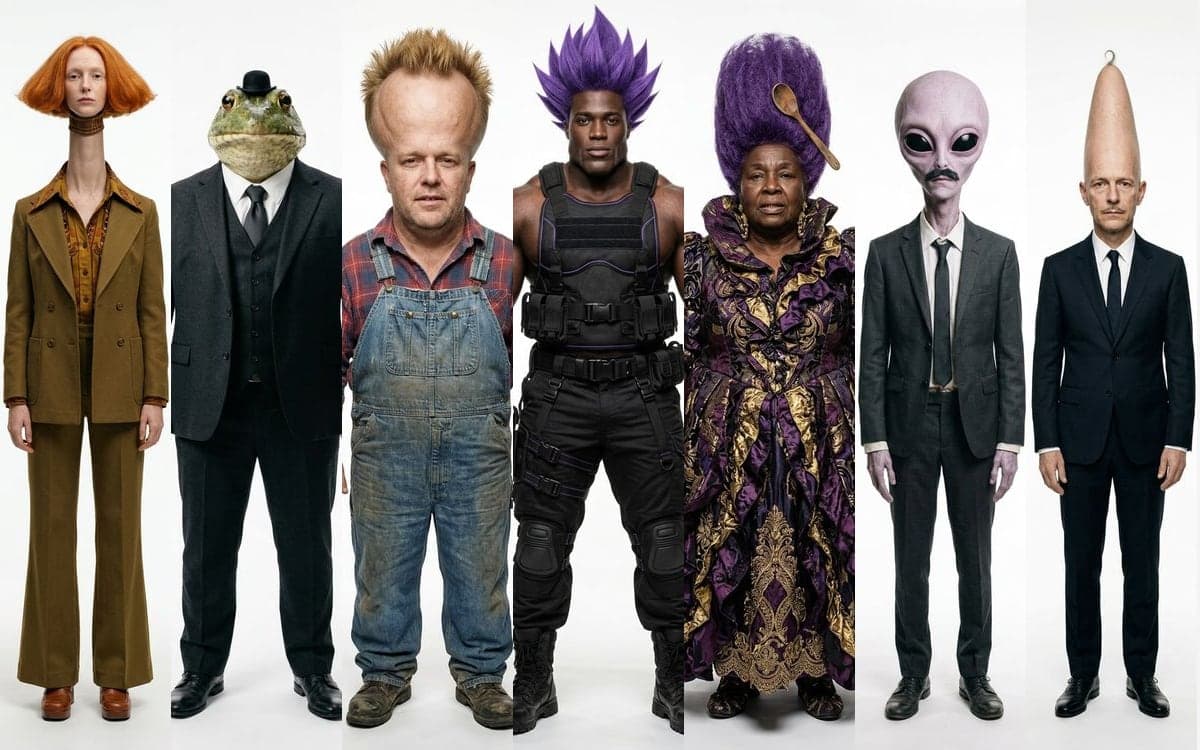
A frog in a suit, an alien in a trench coat, a cartoon hero with a square jaw. Photographed like real people.
Upload a photo of yourself and turn it into a character, then keep that version for every post.
Build your first character
The studio opens in stages. We open access in the order people signed up, and you start with 1,000 free credits.
Claim your spotGood to know
A portrait plus a full body, a sheet, a video: every run shows its cost before you press.
The full body is made from the portrait and the sheet from both. Saved characters go along as references in every model that takes them.
Platforms ask you to mark AI content when you post. The studio leaves the picture as it is, so you tick the label yourself.
Use your own photo, or a photo of someone who agreed to it. The same goes for a clip you swap a character into.
Our example characters sit in your library. Open one and the builder starts with exactly its settings.
Connect Claude or your own agent over MCP and let it build characters and videos for you.
Questions
How do I keep the same face across videos?
Save the character. Its portrait, full body and sheet go along as references when you make a video, and the full body is already made from the portrait, so the face holds.
Can I start from my own photo?
Yes. Upload it at the top of the builder. Use a photo of yourself or of someone who agreed to it.
Does the studio add an AI watermark?
No. Platforms ask you to label AI content when you post, and you tick that label yourself.
What does a character cost?
The price of the portrait and the full body together is on the button before you press it. Packs start at €15 for 15,000 credits, about 93 images with Nano Banana or 10 short clips with Kling 2.5 Turbo. Credits never expire.
Start making it yourself
The studio opens in stages. We open access in the order people signed up, and you start with 1,000 free credits.
Get early access