
How it works
- 1Drop in the blocks you needEight kinds: a prompt, a prompt assistant, a file, your own style, an image generator, a video generator, an edit step, and a note to remind yourself why.
- 2Connect them, safelyOnly blocks that fit together will connect, so a flow cannot break halfway through a paid run.
- 3Run one step or the whole thingTest a single block while you are building, then run the flow end to end. Steps that do not depend on each other run at the same time.
- 4Save it, duplicate it, hand it overA flow is a thing you keep. Duplicate it for the next campaign, swap the reference image, and everything downstream follows.
What people make with it
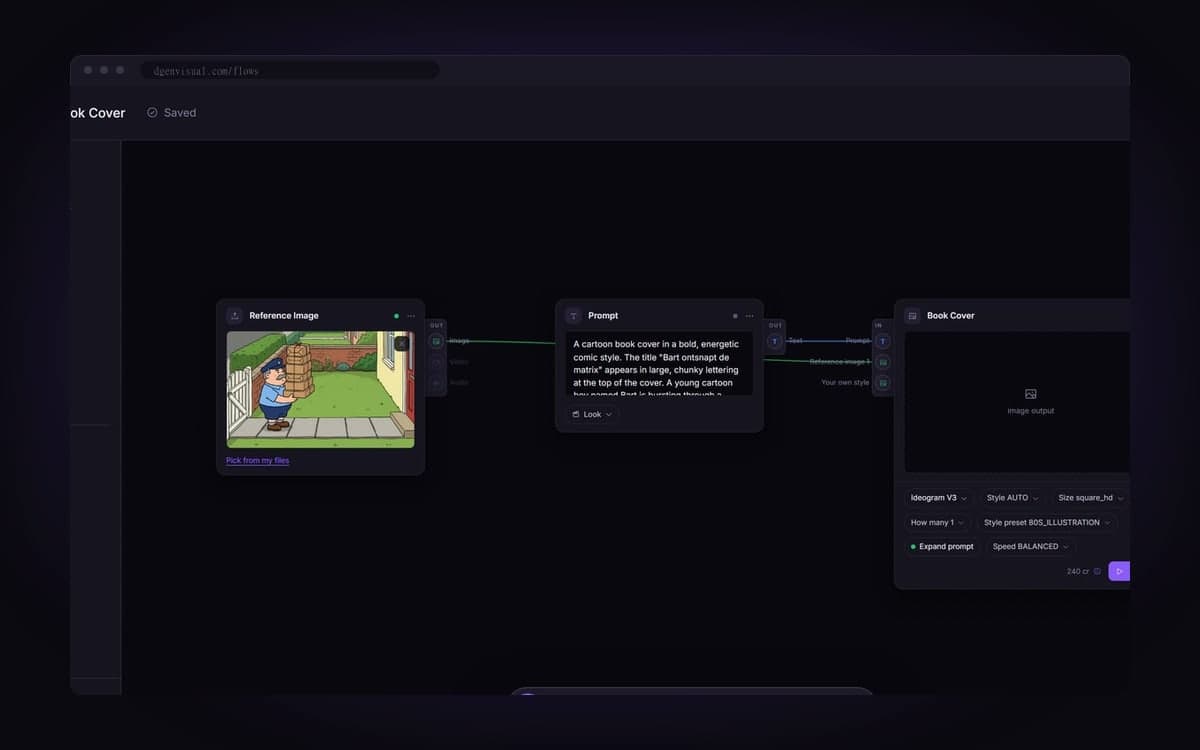
Save the set-up that works for a client and run it again next month. Notes on the canvas show the team why.
One prompt into five generators at once, results side by side. A real comparison instead of five attempts you half remember.
Generate the image and feed it straight into a video model as the first frame. You get both in the same run.
Six shots become six connected blocks that share one look. Fix one shot and rerun just that one.
Claude or your own agent can start a saved flow over MCP. Same pipeline, same price, nobody in the browser.
Build your first Flow
The studio opens in stages. We let people in in the order they signed up, and you start with 1,000 free credits.
Claim your spotGood to know
You only pay when a step runs, and every step shows its price before you start it.
Every change is stored as you go, even if you close the tab mid-thought.
All 141 models are on the canvas, each with only the settings it really has.
Open a ready-made flow, change the prompt, and it is yours. The templates page shows what each one makes.
If a step breaks on our side or at the provider, you get every credit back.
A flow either runs or tells you what is missing, before anything is charged.
Questions
What is a node canvas and why would I use one?
It is a drawing of your process: blocks for the prompt, the model, references and your style, with lines showing what feeds what. You build it once and run it again, instead of prompting the same series by hand every week.
Do I need to understand it to use the studio?
No. Most people start with the generator or the assistant. Anything the assistant builds is an ordinary flow, so you can move to the canvas whenever you want.
Can I run several models at once?
Yes. Connect one prompt to five generators and they run at the same time, with the results side by side.
Can an AI agent run my flows?
Yes. Connect Claude, Claude Code or your own agent over MCP and it can start your flows and collect the results, within the rights you grant. Same pipeline, same price.
What does a flow cost?
Building one is free; each step costs what its model costs, shown before you start. Packs start at €15 for 15,000 credits, about 93 images with Nano Banana or 10 short clips with Kling 2.5 Turbo. Credits never expire.
Start making it yourself
The studio opens in stages. We let people in in the order they signed up, and you start with 1,000 free credits.
Get early access