
How it works
- 1Say it in your own wordsNo prompt syntax needed. "A product shot of this bottle on a wet street at night, and then a five second clip of it" is enough to work with. Know which model you want? Name it and that is the one that runs.
- 2It chooses, and says whyThe assistant reads the same catalogue you can browse: what each model is strong at, what it is less suited to, how it wants to be prompted, and what it costs. Its answer names the choice and the reason.
- 3You see it before it runsThe proposal appears as a flow with the models, the prompts and an estimated total. Nothing is charged and nothing has started, it is a plan you can still change.
- 4Longer ideas become a scriptAsk for something longer than one clip and you get a script instead: a row of shots with one shared description, ready as a cheap storyboard or straight as video.
What people make with it
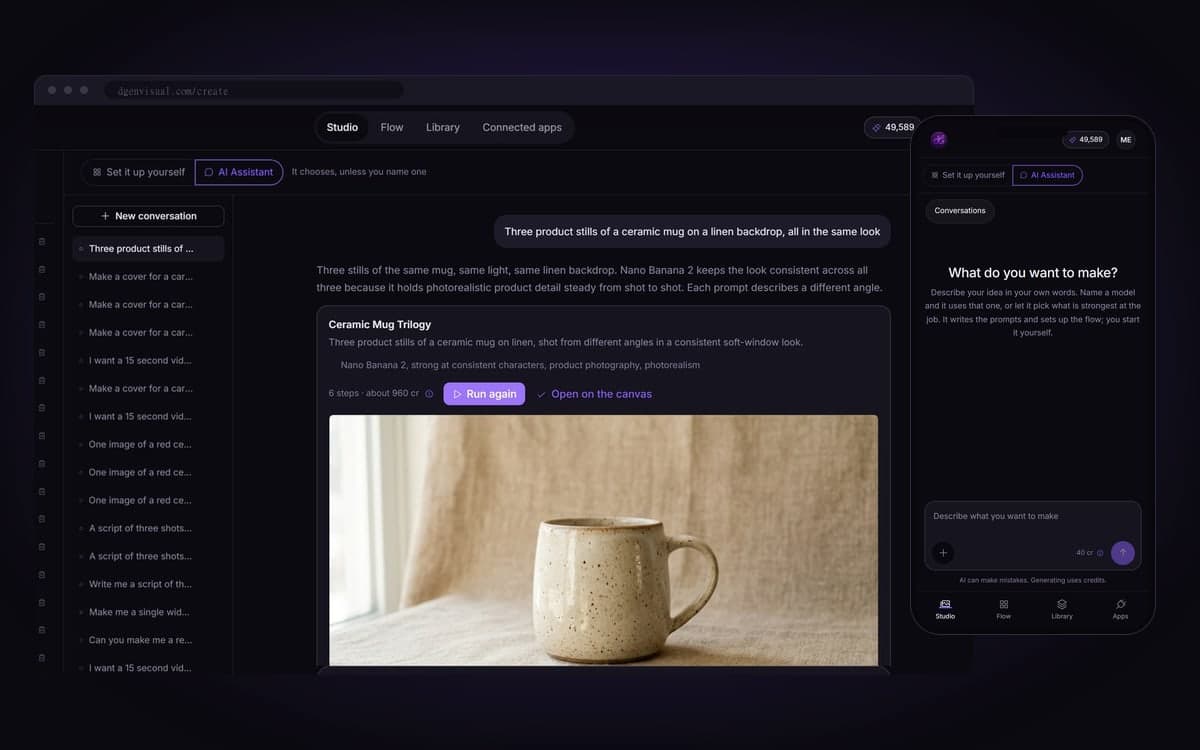
Each model family wants its prompt written a little differently. The assistant writes it that way for you.
Describe the series and get several generators side by side. You compare and choose instead of running one model five times.
It splits your idea into shots and keeps the character, wardrobe and light the same across all of them.
Everything it builds is an ordinary flow on the canvas. Swap a model or rewrite a prompt whenever you like.
Hand it a prompt and ask for a rewrite for the model you picked. It costs a fraction of a generation.
Describe your first project
The studio opens in stages. We let people in in the order they signed up, and you start with 1,000 free credits.
Claim your spotGood to know
The assistant builds and shows the plan with its total. Starting it is your click, step by step.
Every proposal is checked against the real model list, so it can never slip in a model that does not exist.
Each turn costs 40 credits, far less than a generation. Your conversations stay until you delete them.
It only connects a reference to a model that can use one, so every plan is something you could have built yourself.
Where we have not researched how a model wants to be prompted, it gives no advice instead of a plausible guess.
Over MCP, Claude or your own agent can have a flow or a script built for you, without opening a browser.
Questions
What does the AI assistant actually do?
It turns a plain description into a working set-up: prompts in the style each model responds to, connected into a flow, with an estimated cost. Name a model and it uses that one; otherwise it picks one and tells you why.
Does it start generating on its own?
No. It builds and shows; you press start. That rule also applies when an agent uses the assistant.
Can it be wrong about which model to use?
It can, and you can change anything it builds. What it cannot do is invent a model: every proposal is checked against the real catalogue.
Can it make something longer than one clip?
Yes. Ask for thirty seconds and it proposes a script: a row of shots that share one description of the characters, location and light, so they look like one film.
What does a conversation cost?
40 credits per turn, shown on the screen. Packs start at €15 for 15,000 credits, about 93 images with Nano Banana or 10 short clips with Kling 2.5 Turbo. Credits never expire.
Start making it yourself
The studio opens in stages. We let people in in the order they signed up, and you start with 1,000 free credits.
Get early access