
Tool
Remove a video background
Cut the subject out of a clip and leave the background transparent. One video. The same clip with the background gone.
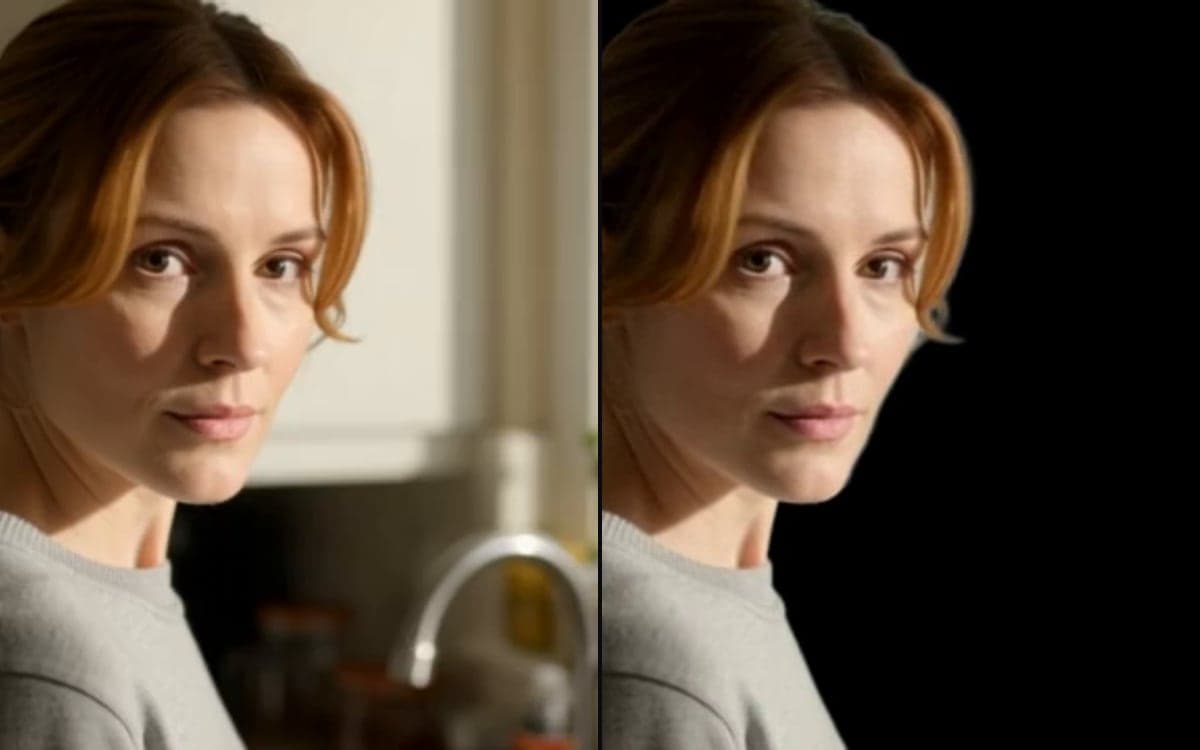
How it works
- 1Bring your clipFootage you shot, or something you generated here.
- 2Let it runNo prompt, no settings. The model finds the subject and separates it.
- 3Composite itDrop the result onto another background, a colour, or your own footage.
What people make with it
Shoot once, place them wherever the campaign needs them.
The object keeps its motion, the room goes.
A cut-out clip layers over anything without a rectangle around it.
Get early access
The studio opens in stages. We let people in in the order they signed up, and you start with 1,000 free credits.
Claim your spotGood to know
It costs a fraction of generating video, because nothing is being invented, only separated.
A clean edge against a busy background is where any matting model has to guess.
Questions
Can it do images too?
Yes, see Remove an image background. Same idea, a fraction of the cost, because a still is one frame instead of hundreds.
What do I get back?
A clip with the background removed, ready to layer over something else.
Start making it yourself
The studio opens in stages. We let people in in the order they signed up, and you start with 1,000 free credits.
Get early access