
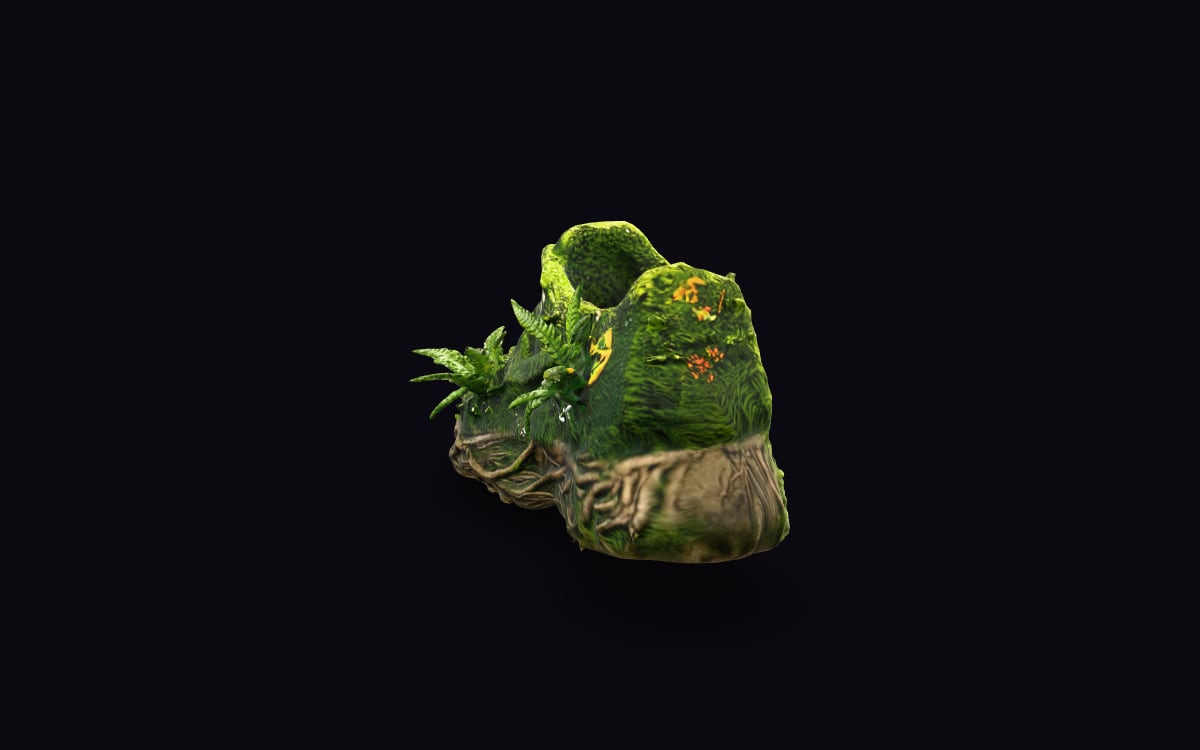
What it is
Idol Max turns one image into a textured 3D model, as a GLB file that games, web viewers and design tools open.
It can add PBR materials, so the surface reacts to light like metal, leather or plastic, and a skeleton for characters, so they can be animated.
Idol Max Turbo makes the same kind of model at half the price, for drafts and quick props.
What it is good at
A product shot or a character on a plain background becomes a model you can turn all the way round.
The model comes as a game-ready GLB, light enough for a web viewer or a game engine.
With rig turned on, a character gets a skeleton and can be posed or animated.
Where it struggles
- Speridlabs publishes no list of limitations, so there is none invented here.
- It sees one side. The back of an object is made up from the front, so check it before you use it.
- One clear subject on a plain background works best. A busy scene becomes one lump.
How to prompt it
There is no prompt. Bring one clear picture of the object or character, ideally on a plain background and lit evenly.
An example that shows what that means
A product photo of a sneaker on a forest floor, turned into a textured 3D model that you can rotate and place on your desk with your phone.
What we offer here
Straight from the catalogue, so this list never goes stale. The price is the provider’s published rate with our markup on top, and it is on the button before you run anything.
Questions
Max or Turbo?
Turbo for drafts and quick props at half the price, Max for the model you keep.
Can I see it in my room?
Yes. Open the result on your phone and tap the AR button to place it on your table or floor.
Which file do I get?
A GLB, which games, web viewers and most design tools open. With rig turned on, also a version with a skeleton.
Alternatives
Guides with Idol Max
Next
Sources
Try Idol Max in the studio
Compare them on your own prompt instead of on a demo. You start with 1,000 free credits.
Get early access