
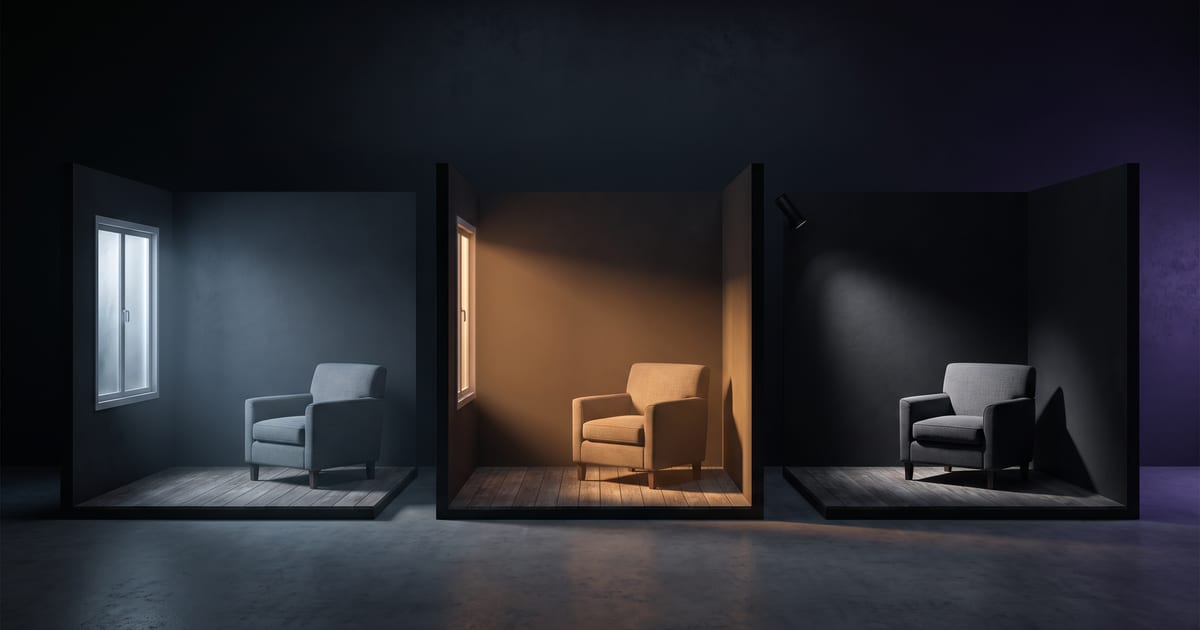
Name the light, or the model picks
Without a word about light, most models give you flat, even light from the front. It is safe and it is dull. One sentence about light changes the whole image.
Three things to say
"Low warm sun from behind, hard shadows towards the camera" gives a completely different picture than "soft overcast daylight from a large window".
- Direction: from the left, from behind, from above, from a window.
- Quality: soft and diffused, or hard with sharp shadows.
- Colour and time: warm evening sun, cool overcast daylight, the blue hour, a neon sign.
Light per mood
- Calm and clean: soft window light, white walls, early morning.
- Warm and personal: late afternoon sun, a desk lamp, wood tones.
- Dramatic: one hard light from the side, deep shadows.
- Technical and modern: cool even light, a slight blue tone.
Keep it consistent
For a series, use the same light sentence in every prompt. A set of images with the same light looks like one shoot, even with different subjects.
Questions
Does every model understand light?
Most do. Some follow it more literally than others; the model pages say what each is good at.
Can I use presets for light?
Yes. Light presets add tested wording to your prompt.
Read next


Put this guide to work
Open the studio and try what you just read. You start with 1,000 free credits.
Get early access