
One currency, every model
Everything in the studio is priced in credits. One credit is €0.001, and the smallest pack is €15. Prices on this site are excluding VAT.
A single currency across every model is the point. Providers price per image, per second, per megapixel and per thousand tokens, in four different units, and comparing two models across those units is not something anyone should have to do in their head.
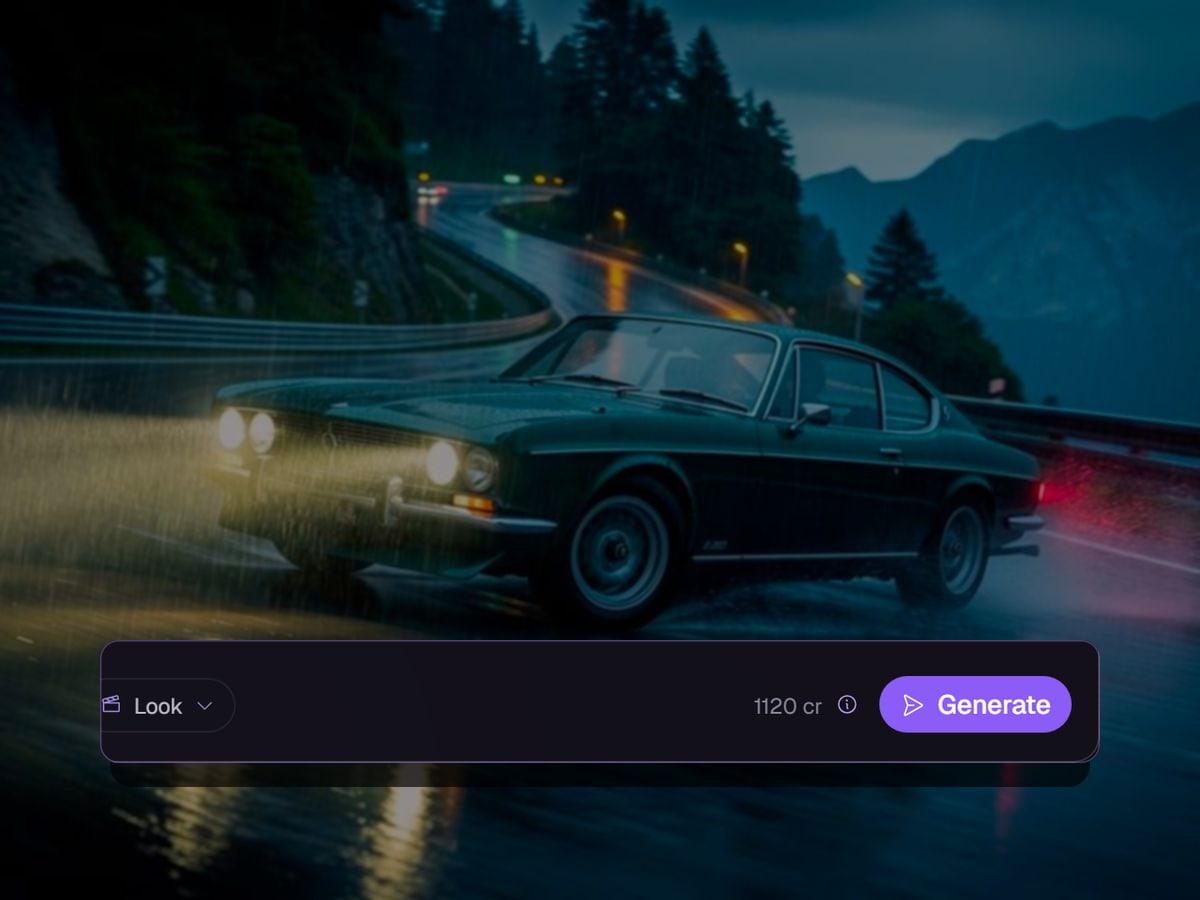
The number on the button is the number
Before you press generate, the cost is on the button, worked out from your actual settings: the model, the resolution, the length, the number of images, whether sound is on, and whether you attached your own style model.
It is calculated by the same function that does the charging. There is no separate estimate that can drift away from the real figure, because there is only one figure.
What moves the price
Not every setting costs something, and the ones that do vary per model.
- Length, every video model charges per second, and this is the biggest lever by far.
- Resolution, most models charge more at higher resolution, some by a factor of three.
- Sound, 10 models charge a separate rate for audio. On the others the provider states it costs nothing extra, so neither do we.
- Number of images, multiplies straightforwardly.
- Your own style model, some providers charge more for a large one, and that is passed through as measured.
When a run fails
A run that never reached the model, or that an outage stopped, refunds in full. Nothing was made and nothing should be paid.
Once the model has started, its machine time is paid for. That holds when the model refuses the request and when the result does not come through, so those credits are not refunded.
Check the cost on the button before you press it. A refusal is most often a prompt the model will not make, and rewording it costs nothing.
Credits do not expire
What you buy stays yours. There is no monthly reset that quietly takes back what you did not use.
The packs
Credits come in packs, and the larger packs carry a small bonus on top. There is no subscription: you buy a pack when you need one. Prices are excluding VAT.
- €15, 15,000 credits
- €40, 41,200 credits
- €75, 78,750 credits
- €150, 160,500 credits
- €250, 275,000 credits
- €500, 550,000 credits
For teams that need more, or want to be invoiced, there is a custom pack on request.
Reading the button
The amount next to Generate is written in credits, as "cr". It changes the moment you change something that affects the price: a longer clip, a higher resolution, sound on, a second image. Settings that cost nothing leave it where it is.
The small info icon next to it explains how the number is built up for the model you picked. If two settings look alike and only one moves the price, that is where you find out why.
What real jobs cost
Three runs we did ourselves, with the credits they took. Our logo reveal intro cost 1,868 credits: about 300 for the end frame and 1,568 for a seven-second reveal. At one tenth of a cent per credit, that is under two euros.
The version with three characters cost 3,890 credits, with the reveal on Kling 4.0 at 1080p. One shot of a music video, about six seconds, came to roughly 5,700 credits for the performance and 1,000 for the lip sync.
The pattern holds across everything: images are cheap, and video is where the money goes. Plan the picture work so the expensive step runs once.
Ways to spend less without settling for less
None of these lower the quality of the final. They lower the cost of finding it.
- Draft video at the lowest resolution and a short length, then render the keeper once.
- Leave sound off while you draft, on models that charge for it.
- Approve stills before clips. A storyboard frame costs a fraction of the shot it becomes.
- Edit a picture that is nearly right instead of generating a new one.
- In a compare template, run two models first instead of all six.
Plan a month in advance
Because every amount is known before you press anything, a month of work is a sum you can make on day one. Run one of each kind of job you do, write down what it cost, and multiply by how often you do it.
Twenty product photos, four short clips and one music video shot is three lines on a piece of paper. That tells you which pack to buy, and it tells you where most of the budget goes before you have spent any of it.
Questions
Do credits expire?
No. Credits you buy stay in your account until you use them. There is no monthly reset and no subscription that takes back what you did not spend.
Do I get credits back when a run fails?
In full when the run never reached the model, or when an outage stopped it. Once the model has started, its machine time is paid, also when it refuses the request or the result does not come through.
Are the prices including VAT?
No. Prices on this site are excluding VAT. The number of credits does not change with it: a pack always gives the credits listed for it, and every amount on a button in the studio is in those credits.
Read next

Put this guide to work
Open the studio and try what you just read. You start with 1,000 free credits.
Get early access